
Boosting Recruitment
3-1. Shared Link (public page visible without login)
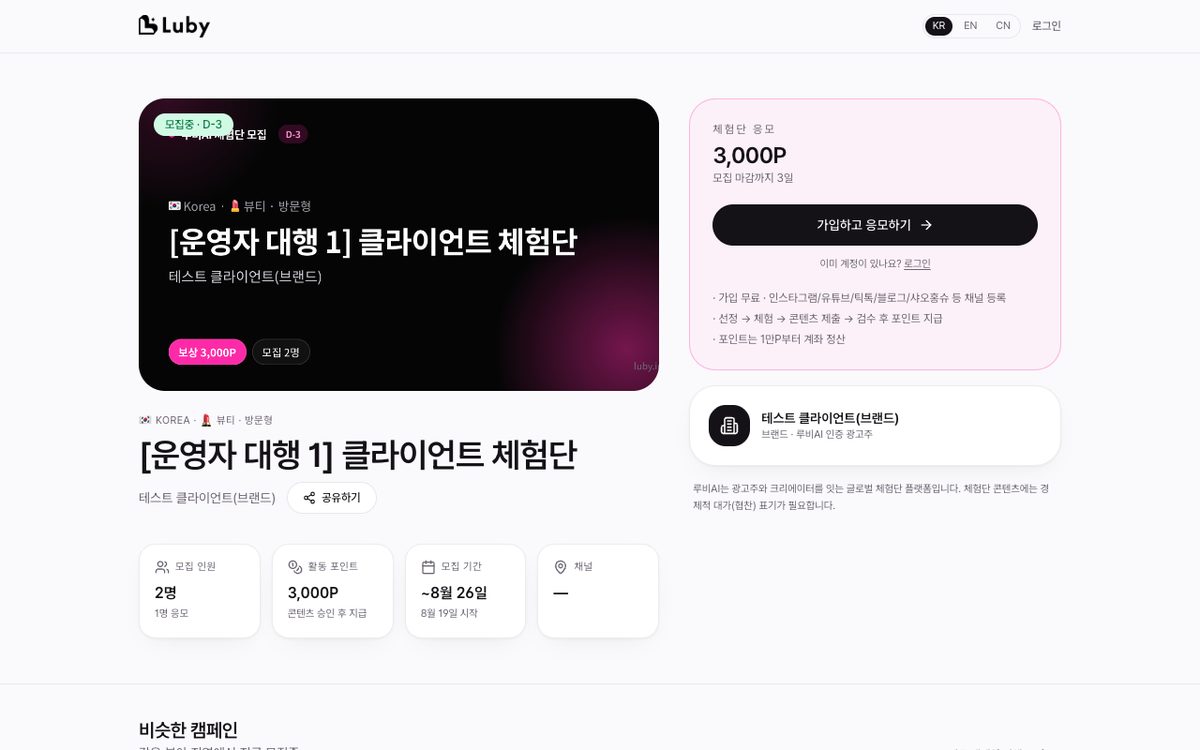
- From the top of the detail page, click Shared Link ▾ → Select Korean (KR) / English (EN) / 中文(CN) → Copy and paste it into Instagram, KakaoTalk, Xiaohongshu, or your website
- The public page (
luby.im/c/…) shows the mission, perks, points, schedule, and a "Sign Up & Apply" button, so new creators can apply right away. - English and Chinese pages are automatically translated (
luby.im/en/c/…,luby.im/zh/c/…). When a campaign is approved for recruiting or its content is edited, the title, business name, brief, mission, perks, and keywords are re-translated by AI so overseas creators see them in their language. If a translation feels awkward, clarify the original text and it will be re-translated automatically. A Translated badge next to the EN/CN items in the Shared Link menu means it's ready, and the store QR poster also prints with translated title/perks when EN/CN is selected. - In-Store QR Poster: In the same popover, click Print A4 In-Store QR Poster → A vertical A4 poster opens with the campaign title, business name, perks, points, recruitment headcount, deadline, channels, and a QR code to the public page. Add
?lang=en/zhfor English/Chinese versions. Use the Print / Save as PDF button to print and post at the counter, entrance, or tables so walk-in customers can scan the QR and apply (only the campaign owner/operator can open this). - Traffic Source Tracking: Public page views from shared links, QR posters, the campaign directory, and creator referral links are tracked automatically. At the top of Campaign Performance → Progress Funnel on the campaign detail page, "Public Page Visits" (unique visitors) and the visit-to-application conversion rate are shown, with view counts by traffic source below — this also feeds into shared reports and AI summaries. No personal data is stored (visitors are distinguished only by a daily-rotating hash), and views from you viewing your own campaign are excluded. When your public page gets English or Chinese views, view counts by language are shown as well, so you can see how many Chinese creators a Xiaohongshu campaign is reaching.
3-2. AI Creator Matching · Invitations (BUSINESS)
- At the bottom of the detail page, click AI Matching → Candidates appear with fit scores and reasons for recommendation → Click Invite. If the creator accepts, they are automatically entered as an applicant.
3-3. Creator Search — `Dashboard → Find Creators`
- Search terms (name · bio) · Industry · Region · Channel · Followers · Sort (followers/completed count/most recent)
- Quick Filters:
XiaohongshuDouyinLemon8Has Public Profile - Click a card → View portfolio (channels · completion history) → Invite (select a recruiting campaign)
Was this page helpful?
Last updated 2026-08-19